
An EP does not automatically need busier artwork, smaller lettering or a completely new visual direction. Start with the music and the release identity. A simple cover can suit either format.
The useful question is what to keep, what to change, and which information belongs on the release cover rather than a separate promotional graphic.
A worked example: one motif, two releases
Imagine a fictional artist, Northline. Their single is Open Door; their EP is After Hours. Both use a key, a dark blue background and warm gold. The single focuses on the key. The EP keeps that identity and changes the framing. Neither needs extra badges or a collage simply because the release format changed.
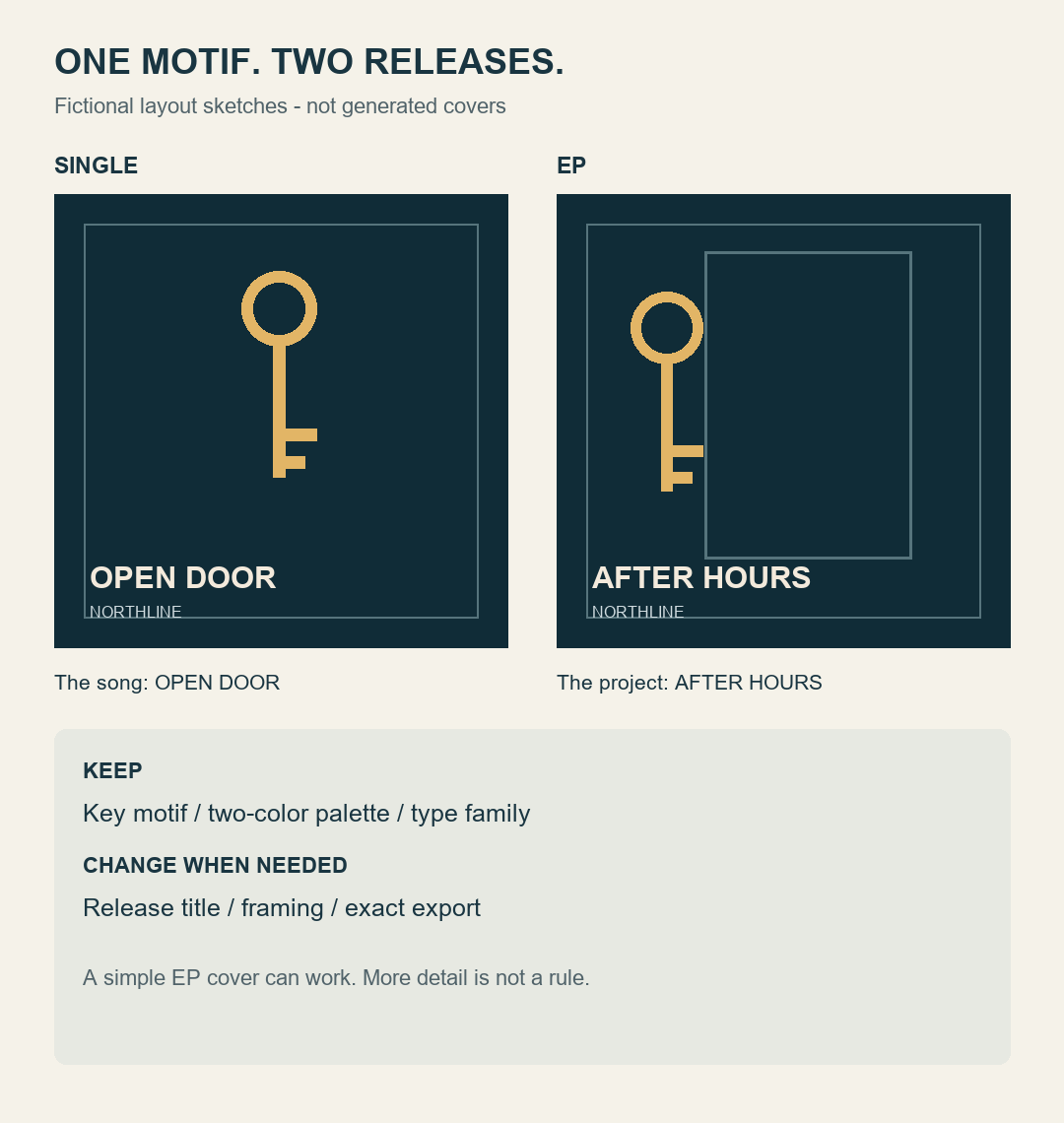
These are original layout sketches, not Covermatic outputs, customer artwork or a promise of distributor approval. They illustrate a choice; a portrait, photograph or type-only direction can work too.
Keep the parts that still fit the music
- Motif: retain the object, place or portrait if it still expresses the project.
- Palette: reuse a small set of colors when continuity is useful.
- Typography: one type family can connect the releases without making every cover identical.
Change the direction when the existing image no longer represents the music, when an important detail disappears at thumbnail size, or when you cannot establish permission for an element. A new release format alone is not a reason to discard a useful idea.
Change the release identity accurately
For the single, use the single's submitted title if the cover contains a title. For the EP, use the EP's title. Do not put the EP title on the single simply because the song will appear on that project.
TuneCore explicitly identifies that single-versus-album title mismatch as a problem. Its artwork requirements also limit cover text to the submitted artist name and release title, or allow an image without text. Check your chosen distributor's current rules; this example is design guidance, not a universal acceptance rule. Source checked October 8, 2026.
Keep rollout information on a separate asset
A track list, release date, listening link or announcement can have its own promotional graphic. Do not automatically add those elements to the file submitted as the cover. Plan only the assets you will actually use; an EP does not require a large promotional package.
Write the brief before another attempt
Try this four-line brief:
- Release: After Hours, an EP by Northline.
- Keep: the key motif, dark blue/gold palette and type family.
- Change: the framing to suggest a doorway; use the exact EP title.
- Leave out: dates, listening links and extra credits from the release-cover file.
Review your current draft against that brief first. If you need a different image direction, Covermatic Studio is an optional way to explore it. A generation attempt currently uses 5 credits and an edit uses another 5; check the displayed cost and your balance. A new attempt does not guarantee a finished cover.
Add and inspect final typography separately. Check a small preview, then inspect the actual full-size export, permissions and destination requirements before submission. For a broader set of creative starting points, see the five cover concepts and thumbnail exercise.
Leave a comment: